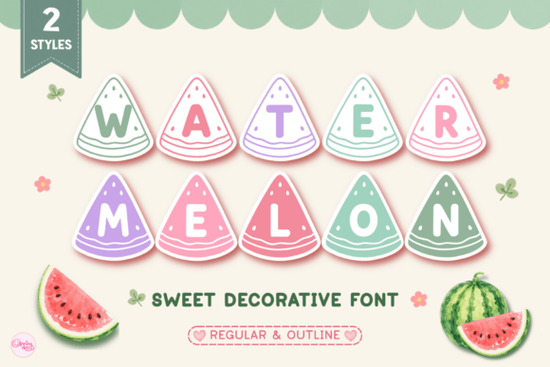
When designing for summer events, kids' parties, or retail collections, finding the right typographic element can make or break your project aesthetic. The Watermelon Font offers a distinct advantage by combining playful visuals with functionality. Whether you are running a small online store or creating custom gifts for friends, having a unique typeface ensures your work stands out from generic clipart. This specific download includes two variations, allowing you to mix styles within the same design for added texture.
How the Regular and Outline Styles Differ
One of the standout features of this set is the versatility provided by the two included styles. You might find yourself needing a solid fill for t-shirts or decals, while another project requires an outline style to layer behind images or create a watermark effect. The regular version gives you full shape, which is excellent for main headlines on posters or banners. On the other hand, the outline version provides a lighter touch that blends easier with photographs or busy backgrounds.
This dual-format approach saves you from purchasing separate files for different techniques. You do not have to guess which file to open during your workflow; instead, you can simply duplicate layers or switch fonts to see what looks best in your current scene. For instance, a teacher resource document might look better with thin strokes to save ink, while a tumblers mug design needs bold lines to cut properly on vinyl.
Ideas for Summer and Craft Projects
Many creators struggle with how to apply a specific font beyond just typing text on a screen. With its bright and fruity imagery, this typeface fits perfectly into warm-weather themes. Below are some practical ways to utilize it across different platforms and mediums.
- Cricut Projects: Cut the letters from permanent vinyl to decorate water bottles or lunch boxes. Because the shapes mimic fruit slices, they cut cleanly even around curves.
- Sublimation Designs: Print directly onto polyester fabrics or coated mugs. The solid versions hold up well under heat press temperatures without losing definition.
- Teacher Resources: Create colorful classroom labels, student awards, or bulletin board headers that catch a child's eye immediately.
- DIY Gifts: Personalize party favors for baby showers or birthdays with matching lettering on tags and ribbons.
- Stickers & Planners: Add small accent letters to digital planners or print sheets for hobbyist journals.
Each of these applications benefits from the rounded edges and friendly appearance of the characters. They avoid sharp angles that often feel too corporate or rigid, keeping the vibe light and approachable. When combined with simple green or red colors, the text reinforces the watermelon theme without needing complex illustrations.
Balancing Commercial Rights and Usage
If you sell finished products made with this asset, it is important to review the license agreement attached to your purchase. Most personal licenses allow you to sell physical items you create, such as shirts or prints, but you cannot resell the font file itself. Always double-check the terms regarding the number of end products or digital downloads you distribute.
For those looking to expand their library, browsing through related categories can provide inspiration. You can explore similar decorative elements to build a cohesive summer bundle without buying individual pieces separately. Grouping fonts from the same visual family ensures consistency across your catalog listings.
The file formats usually included are OpenType and TrueType, which means they work with most design software. Programs like Silhouette Studio, Adobe Illustrator, or Cricut Design Space recognize these standards without requiring conversion steps. This compatibility reduces frustration when sending files directly to a printer or cutter machine.
Tips for Best Results in Printing
To get professional results, consider the resolution of your exported files. A vector format is ideal because you can scale the text to any size without pixelation. However, if you export as a PNG for web graphics, ensure you choose 300 DPI for print materials. This prevents blurry edges on the final product, which is especially noticeable on smaller items like stickers or business cards.
Color selection also plays a role. While the font itself is black and white until colored, choosing shades of pink and green for shading can enhance the watermelon illusion. Alternatively, stick to high-contrast monochrome for a cleaner look that suits minimalistic branding. Testing your design on a blank piece of paper before committing to expensive materials like transfer tape or ceramic blanks will save both money and time.
If you are new to creating with cut files, remember to mirror your design when working with iron-on vinyl. Text reads backward on a shirt if you forget this step, ruining the message entirely. This simple check prevents waste and allows you to focus on creativity rather than troubleshooting mistakes later.
Your Action Plan
Ready to start building? Follow this quick checklist to prepare for your next project:
- Download the Watermelon Font from your provider after verifying your order.
- Install the font files on your computer before opening your editing software.
- Create a draft layout to test both Regular and Outline styles against your background image.
- Adjust line spacing so the sliced letters do not overlap awkwardly in your sentence structure.
- Export a test print on standard paper to check alignment and contrast.
- Review the commercial license if selling physical goods produced from this design.
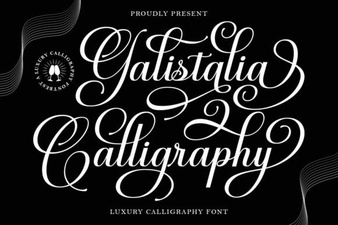 Galistalia Font for Creative Lettering Projects
 Luckies Font: Creative Typography Ideas for Projects
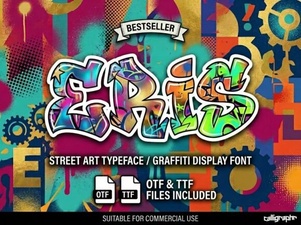 Eris Font: Creative Typography for Modern Design
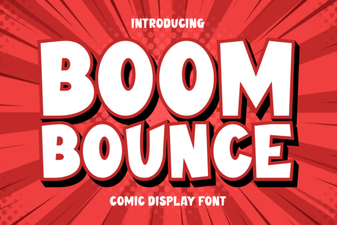 Download the Boom Bounce Font for Modern Designs
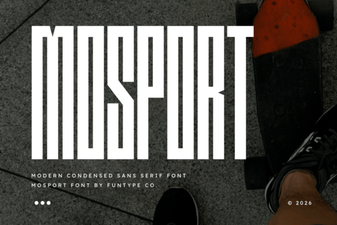 Mosport Font: Design Inspiration and Download
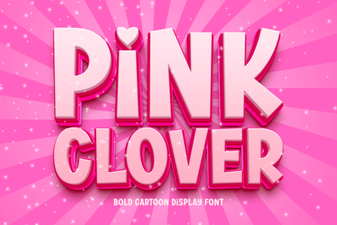 Download Pink Clover for Elegant Design Projects